Shelfhand Stock in, stock out, and a clear list of what to reorder
Shelfhand keeps a running count of every item you stock, flags what is running low, and works out how much to reorder. AI writes a daily stock briefing and drafts order messages to your suppliers.
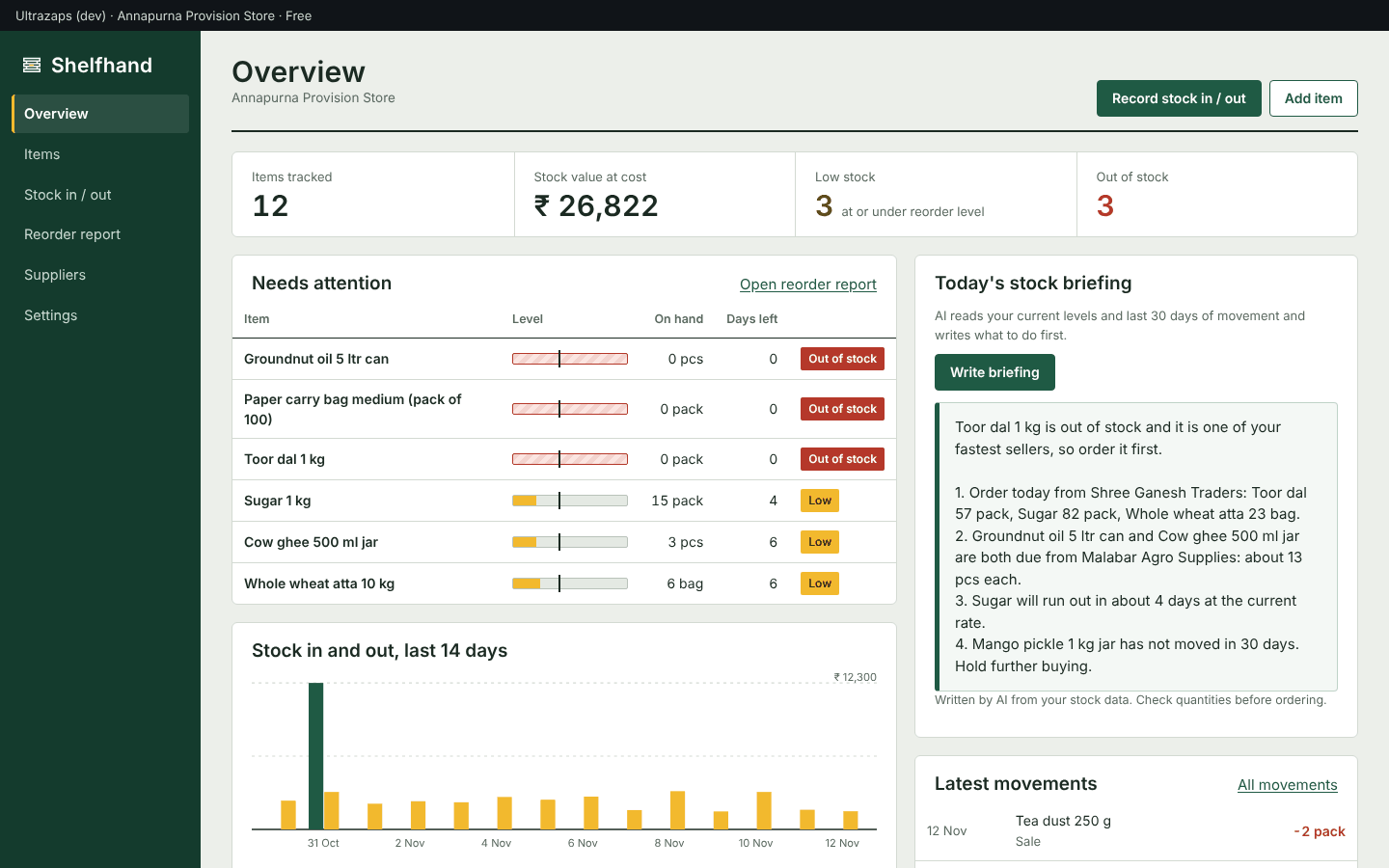
What Shelfhand does
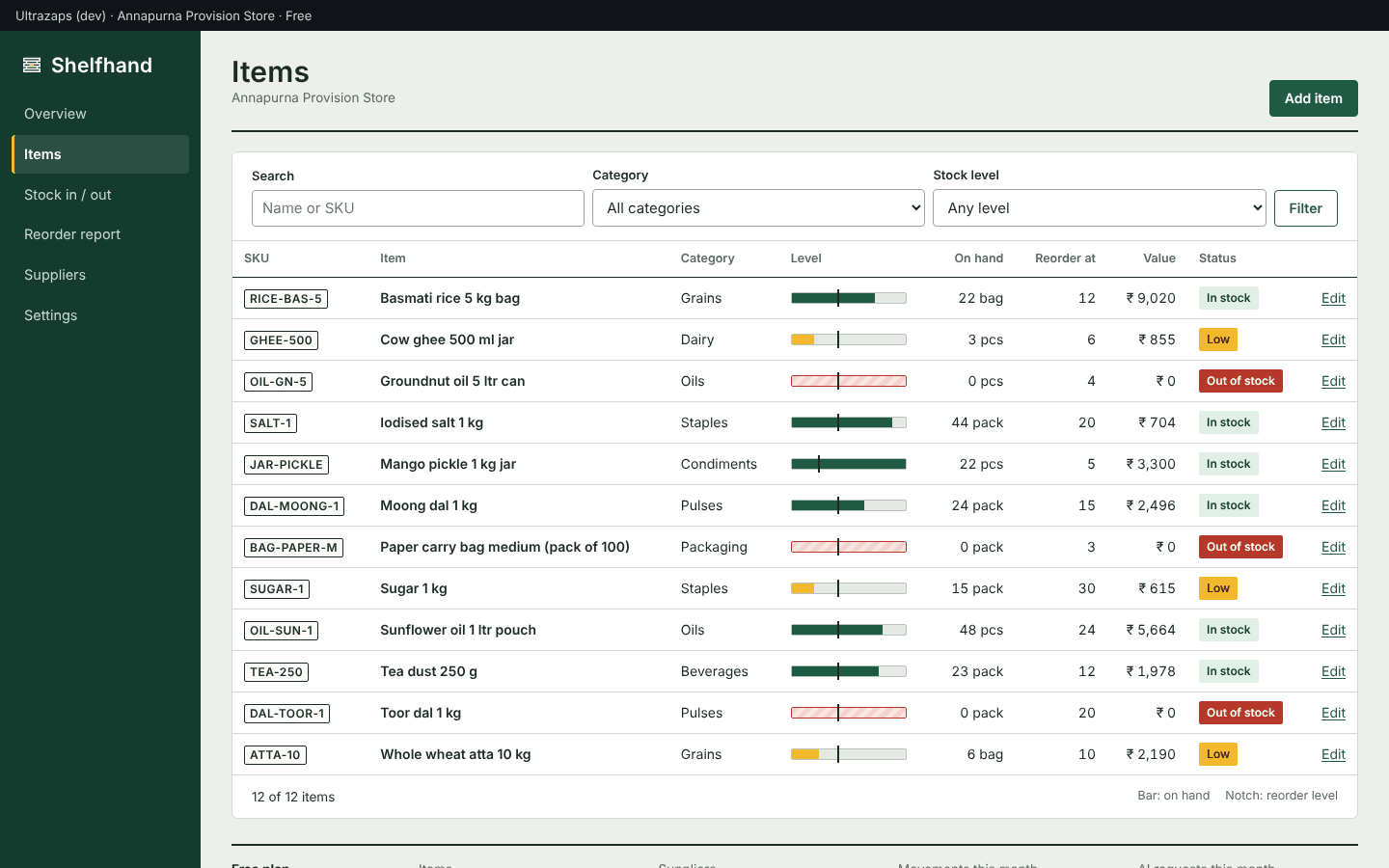
- Item list with live stock levels
- Each item shows quantity on hand against its reorder level on a small gauge, with its SKU, category, unit and stock value.
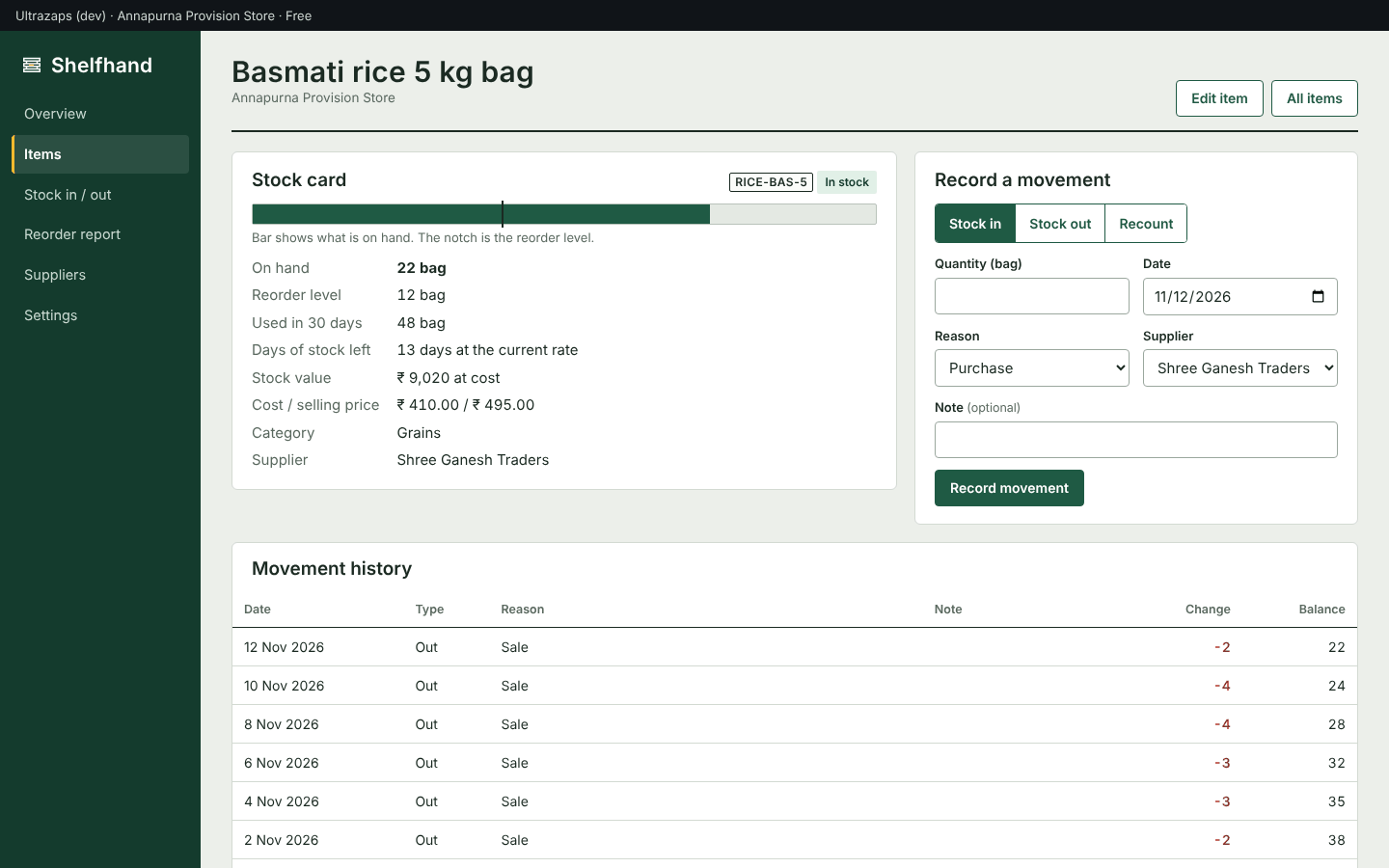
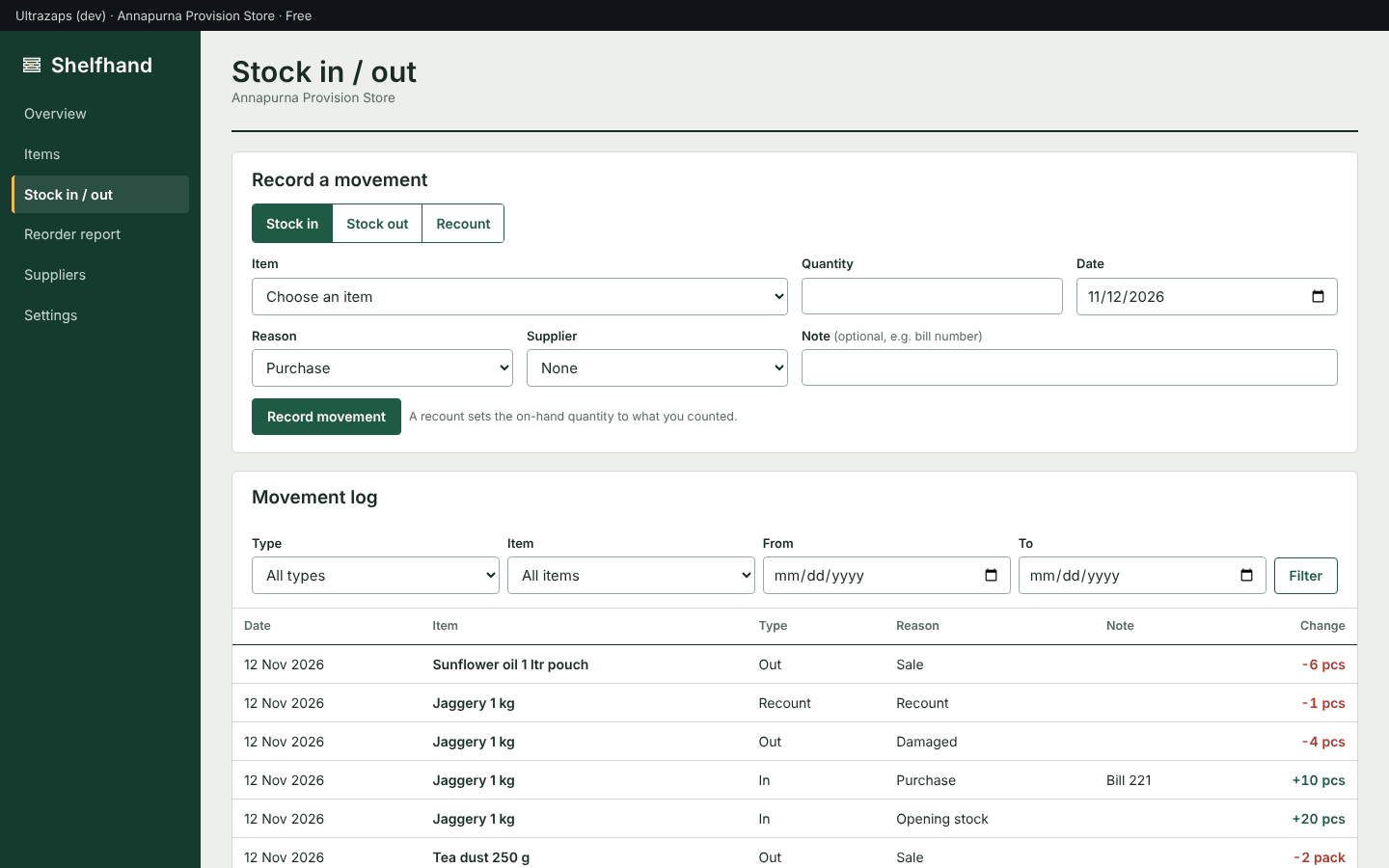
- Stock in, stock out and recounts
- Record purchases, sales, damage, returns and transfers with a date, reason and note. A recount sets the quantity to what you physically counted.
- Stock card for every item
- A dated ledger of every movement with a running balance, plus usage in the last 30 days and days of stock left.
- Low-stock and out-of-stock alerts
- Items at or under their reorder level are flagged on the overview and listed in the reorder report.
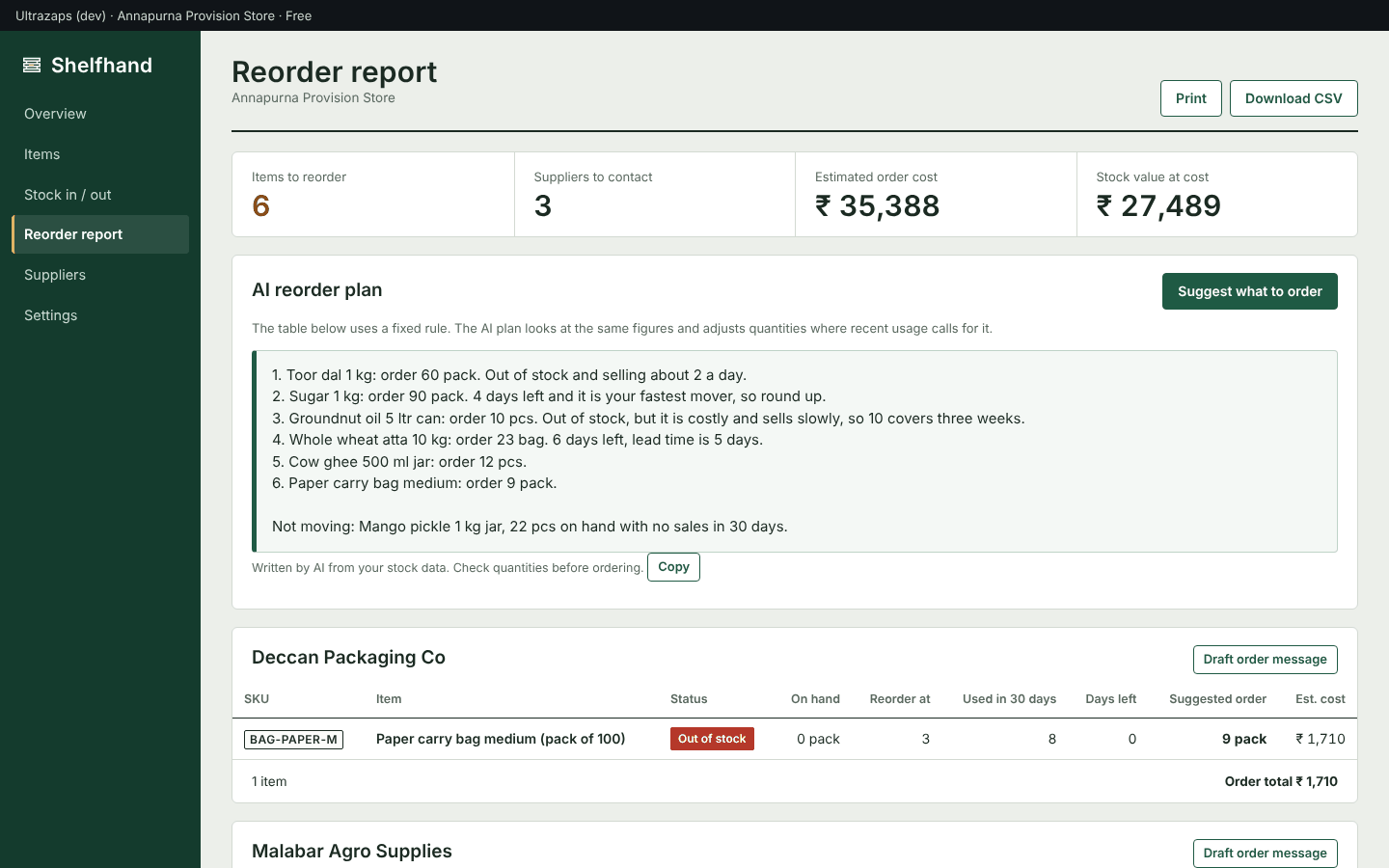
- Reorder report by supplier
- Suggested order quantities and estimated cost, grouped by supplier, based on your lead time and the days of cover you want. Print it or download it as CSV.
- AI stock briefing and reorder plan
- AI reads your current levels and recent movement and writes what to order first, how much, and which stock is not moving.
- AI order message drafts
- Draft a purchase message for one supplier listing the items and quantities, ready to copy into WhatsApp or email.
- Suppliers
- Keep supplier contacts, link each item to its usual supplier and see when each one last delivered.
- CSV import and export
- Import your item list from a spreadsheet and download items, movements and suppliers as CSV whenever you need them.
- Stock value by category
- See where your money is sitting with a category-wise breakdown of stock value at cost.
How it helps
Shelfhand is a simple inventory app for shops, godowns and small workshops. Add the items you keep, set a reorder level for each, and record stock coming in and going out. Every item has a stock card with its full movement history and running balance, so you can always see how a number came about.
The overview shows what you hold, what it is worth at cost, and which items are low or out. The reorder report groups low items by supplier, shows how many days each will last at the current rate of use, and suggests an order quantity from your own lead time and cover settings.
AI features use your own stock data. Ask for a stock briefing to see what needs doing first, get a reorder plan that adjusts quantities to recent usage, or draft an order message you can paste into WhatsApp or email. The app works fully without AI: counts, alerts and the rule-based reorder list never depend on it.
Your data stays yours. Import items from a CSV file to get started quickly, and download items, movements and suppliers as CSV at any time.
Who uses it
- Kirana and provision stores tracking fast-moving groceries
- Hardware and electrical shops with hundreds of small parts
- Wholesalers and distributors managing a godown
- Small manufacturers and workshops tracking raw materials and spares
- Restaurants, bakeries and cloud kitchens tracking ingredients
- Clinics, salons and offices tracking consumables
Screens
Shelfhand plans and limits
Prices in Indian rupees per month. Pay for 12 months and get 2 free. Paid plans do not renew on their own; when one ends, the app returns to free-plan limits and your data stays.
Free
Free
- Up to 40 items
- Up to 3 suppliers
- 150 stock movements a month
- 10 AI requests a month
- Reorder report, CSV import and export
Starter
₹399/month
- Up to 500 items
- Up to 25 suppliers
- 3,000 stock movements a month
- 150 AI requests a month
- Everything in Free
Pro
₹999/month
- Unlimited items
- Unlimited suppliers
- Unlimited stock movements
- 1,000 AI requests a month
- Everything in Starter
Questions about Shelfhand
How much does Shelfhand cost?
There is a free plan. Starter is Rs 399 a month and Pro is Rs 999 a month. You can change plan at any time from your Ultrazaps account.
What does the free plan include?
Up to 40 items, 3 suppliers, 150 stock movements a month and 10 AI requests a month. All screens, the reorder report and CSV export are included.
Can I export my data?
Yes. Items, movements, suppliers and the reorder report can each be downloaded as a CSV file that opens in Excel or Google Sheets.
Does it work on a phone?
Yes. Shelfhand runs in the browser and is laid out for phones, tablets and computers, so you can record stock from the shop floor or the godown.
Can I import my existing stock list?
Yes. Upload a CSV with a name column and, optionally, SKU, category, unit, prices, reorder level and opening quantity. Up to 2,000 rows per file.
Do I need the AI features to use it?
No. Stock counts, low-stock alerts and suggested order quantities are calculated by fixed rules. AI adds a written briefing, a reorder plan and order message drafts on top.
How is the suggested order quantity calculated?
Reorder level plus average daily usage over the last 30 days multiplied by your lead time and cover days, minus what is on hand. You set lead time and cover days in Settings.