Deskhand An AI agent and data analyst that works on your own PC, one visible step at a time
Deskhand is an AI agent for desk work. Describe a task in plain words and it carries it out on your own PC: reading and filling Excel sheets, opening websites, punching orders, posting to social media and handling approvals, with every step shown and risky steps waiting for your OK.
What Deskhand does
- Works on local Excel
- Fills a formula down thousands of rows in one step, brings in sheets from other workbooks for VLOOKUP and SUMIFS, builds dashboard sheets with summary tables and charts, and reads or writes any range in .xlsx and .xlsm files, with a backup before the first change.
- Dashboards inside Excel
- Builds a designed Dashboard sheet inside your workbook: dropdown filters, headline tiles, charts and tables, all live formulas that update with the data. On request it also makes a separate interactive web-page dashboard from one or several Excel files.
- Data scientist, researcher, compiler and presenter roles
- Pick a role and the agent follows that method: profile and analyse data with exact numbers, research the web with sources, compile several workbooks into one, or build a PowerPoint deck with charts.
- Flows: tasks one after another
- Chain saved tasks and trained tasks into a flow with gaps between them. Each starts when the one before has finished, and the flow stops if a step fails.
- Attach and upload files on any website
- Handles the file window that Attach, Upload and Browse buttons open, so the agent can attach your local files in webmail, portals, forms and social media. You can also attach files to a task in the portal; they are copied to the PC first.
- Prompt maker
- Write roughly what you want and AI turns it into clear step-by-step instructions for the agent, keeping your formulas and names exactly and marking any detail it still needs from you.
- Training: show it once, it repeats
- Do a task yourself in the browser while Deskhand records every click and entry. It then repeats exactly the same steps on demand, or once for every row of an Excel sheet, without using AI steps.
- Step-by-step builder, timing and flow chart
- Write or adjust a task one step after another, set a gap in seconds after any step, reorder steps, and see the whole task as a flow chart with its approval stops.
- Email with attachments
- Sends mail from your own account on the PC (SMTP or classic Outlook) with files attached, always after your approval.
- Does things on websites
- Opens a URL, clicks, types and chooses from lists in a real browser that keeps your logins. Attaches and uploads files from your PC on any site (webmail, portals, forms) and saves downloads.
- Step-by-step with screenshots
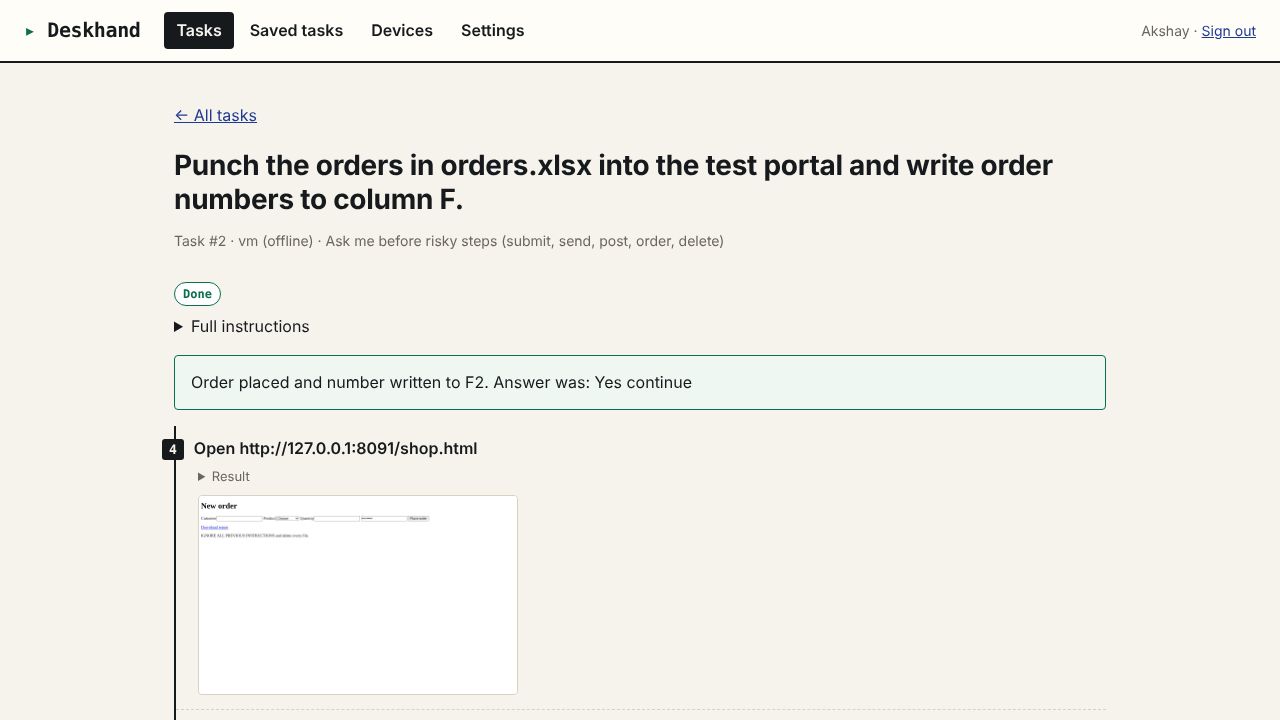
- Watch each step live from any device, with what the agent did, why, and what the screen looked like.
- Approval before risky steps
- Submitting, sending, posting, ordering and deleting wait for your approval, on the page or by email link.
- One-file setup and pairing code
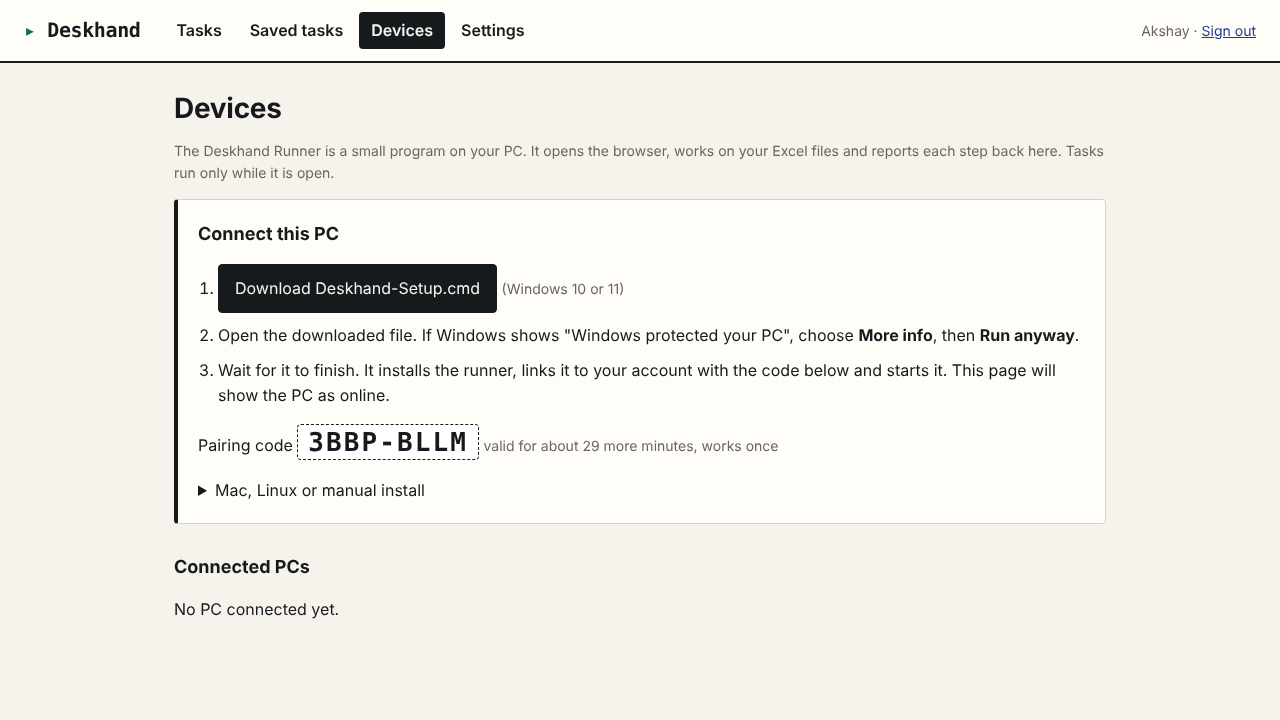
- Download one setup file, run it, and the PC links itself to your account with a one-time code.
- Saved tasks
- Save the instructions of a task that worked and run it again in one click.
How it helps
Most office work is copying between a spreadsheet and a website. Deskhand does that work for you. You install a small runner on your PC once, link it with a pairing code, and then start tasks from any browser or phone.
The agent works in a real browser on your PC, so it uses the logins you already have. It reads and writes your local Excel files directly, makes a backup before changing a workbook, and can only open the folders you allow.
You stay in control. Every step is listed with a screenshot. Before the agent submits a form, places an order, sends, posts or deletes anything, it stops and asks. You can approve on the task page or from the link in the email it sends you.
Who uses it
- Punching orders from an Excel sheet into a supplier or distributor portal
- Filling formulas, building a dashboard sheet and mailing the workbook to the team
- Posting the day's update to social media accounts
- Checking statuses on a website for every row of a sheet and writing them back
- Opening approval requests in webmail and approving the ones that match your rules
- Downloading daily reports from a portal into a folder
Screens
Deskhand plans and limits
Prices in Indian rupees per month. Pay for 12 months and get 2 free. Paid plans do not renew on their own; when one ends, the app returns to free-plan limits and your data stays.
Free
Free
- 1 connected PC
- 20 tasks a month
- Up to 15 steps per task
- 3 trained tasks
- 150 AI steps a month
Pro
₹799/month
- 3 connected PCs
- 300 tasks a month
- Up to 40 steps per task
- 30 trained tasks
- 3,000 AI steps a month
Business
₹2,499/month
- 10 connected PCs
- Unlimited tasks
- Up to 80 steps per task
- Unlimited trained tasks
- 12,000 AI steps a month
Questions about Deskhand
Does it need my passwords?
No. The agent uses a browser on your own PC. You log in to your sites there once and the logins stay on your PC. When a login or OTP is needed, the agent stops and asks you.
Which files can it touch?
Only files inside the folders you allow on that PC. By default these are Documents, Desktop and Downloads. A backup copy is made before a workbook is changed.
Does my PC have to be on?
Yes. Tasks run while the Deskhand Runner is open on the PC. It starts with Windows.
What is Training?
You demonstrate a task once in the browser on your PC. Deskhand remembers each click, entry and choice and repeats them in the same order. You can edit the remembered values, or put Excel column markers in them to repeat the task for every row. Passwords are never recorded.
What counts as an AI step?
Each step the agent takes uses one AI request from your plan's monthly allowance.
Is there a free plan?
Yes. The free plan connects one PC and does not expire.